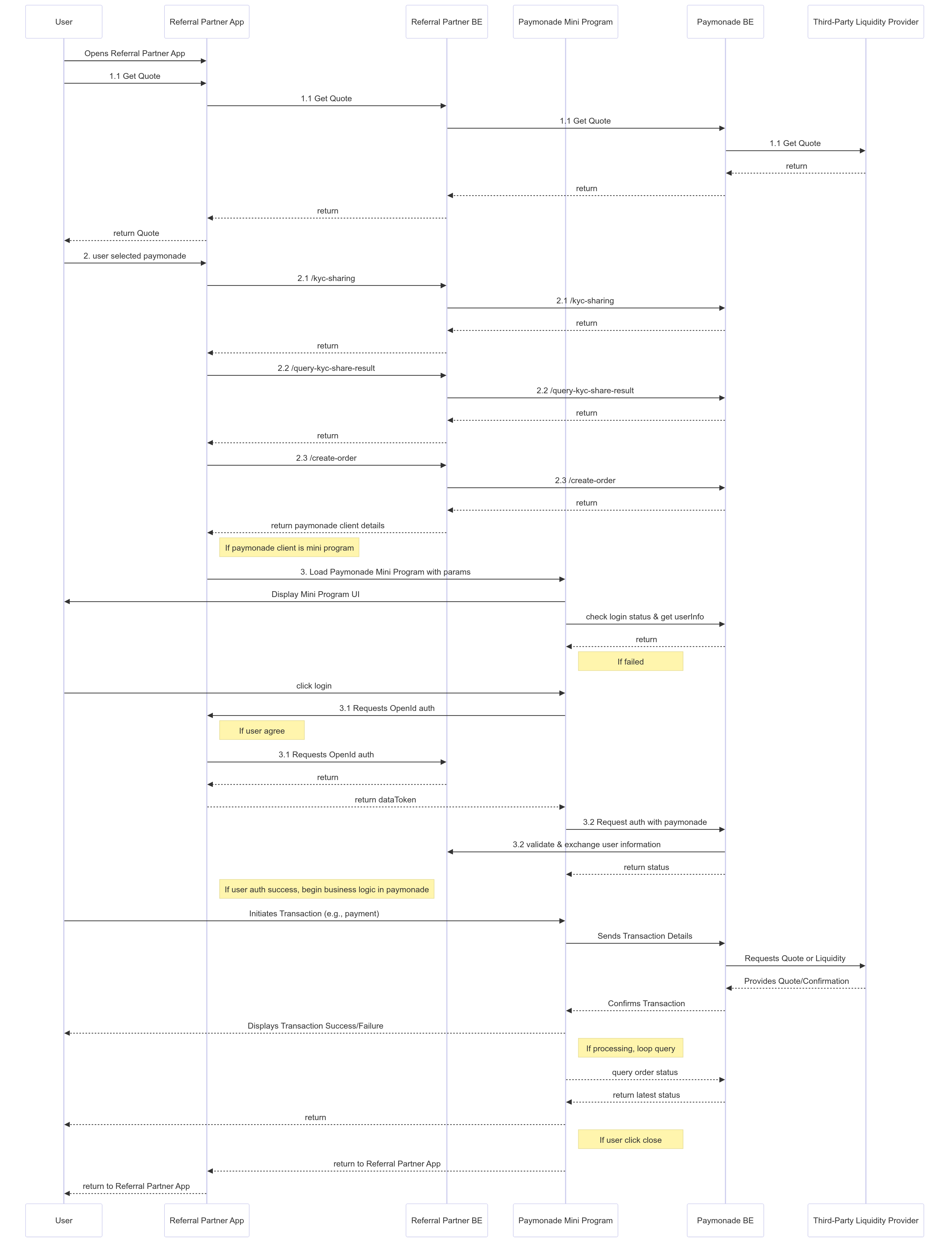
VIII. How to integrate with Paymonade mini program
- I: Steps to Integrate a Paymonade Mini Program:
- 1: Initiate Contact: The merchant reaches out to the Paymonade support team to discuss and finalize the scope and requirements of the mini program.
- 2: Provide Documentation: The merchant supplies the Paymonade team with the mini program framework documentation and sandbox API for reference and development.
- 3: Development by Paymonade: The Paymonade team allocates technical resources to develop the mini program according to the agreed-upon scope.
- 4: Merchant Integration: After development is complete, the merchant begins integrating the mini program into their system.
- 5: Quality Assurance (QA): Once integration is done, the Paymonade team conducts thorough QA testing to ensure the mini program functions as expected and meets the required standards.
- 6: Coordinate Release: Following successful QA testing, the merchant and Paymonade team schedule a time to launch the mini program.
load mini program param(json format):
| Field Name | Type | Required | Description |
|---|---|---|---|
| paymentMethod | String | Y | Payment method, refer to enum type definitions. When paymentMethod is empty or ALL, a cashier page will be displayed for the user to choose available payment methods. When paymentMethod is specified, a trading page for the specific payment method will be displayed. |
| fiatCurrency | String | Y | Fiat currency |
| orderToken | String | Y | returned from /create-order api |
| tranType | String | Y | returned from /create-order api,BUY/SELL etc. |
| tranId | String | Y | returned from /create-order api |
| userType | String | Y | returned from /create-order api |
Basic mini program interaction flow: